Create a Workspace#
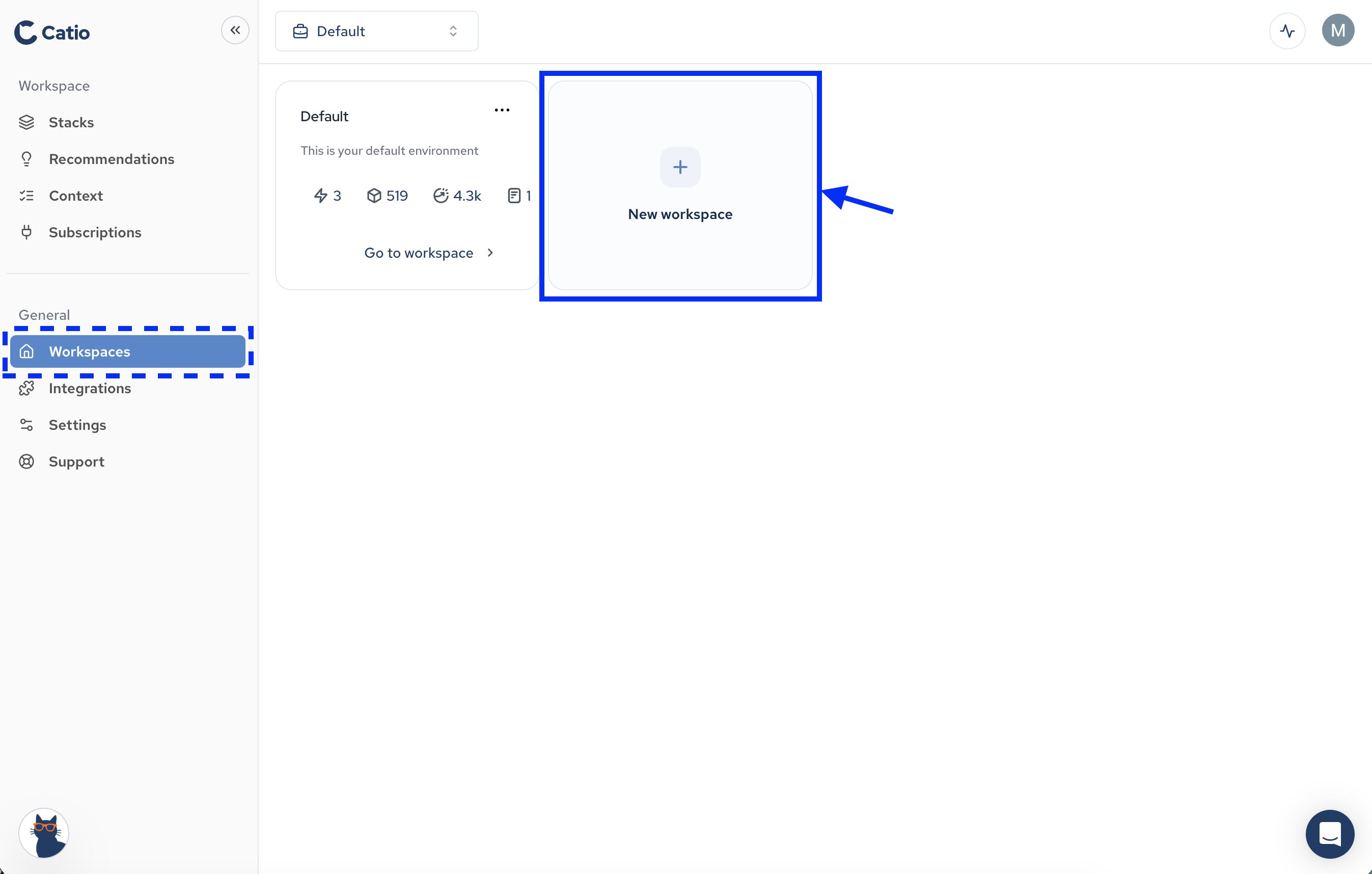
In order to explore your architecture with Catio, you must create a workspace. To create a workspace, click on the Workspaces (under General) in the left side menu. Then, click New Workspace.
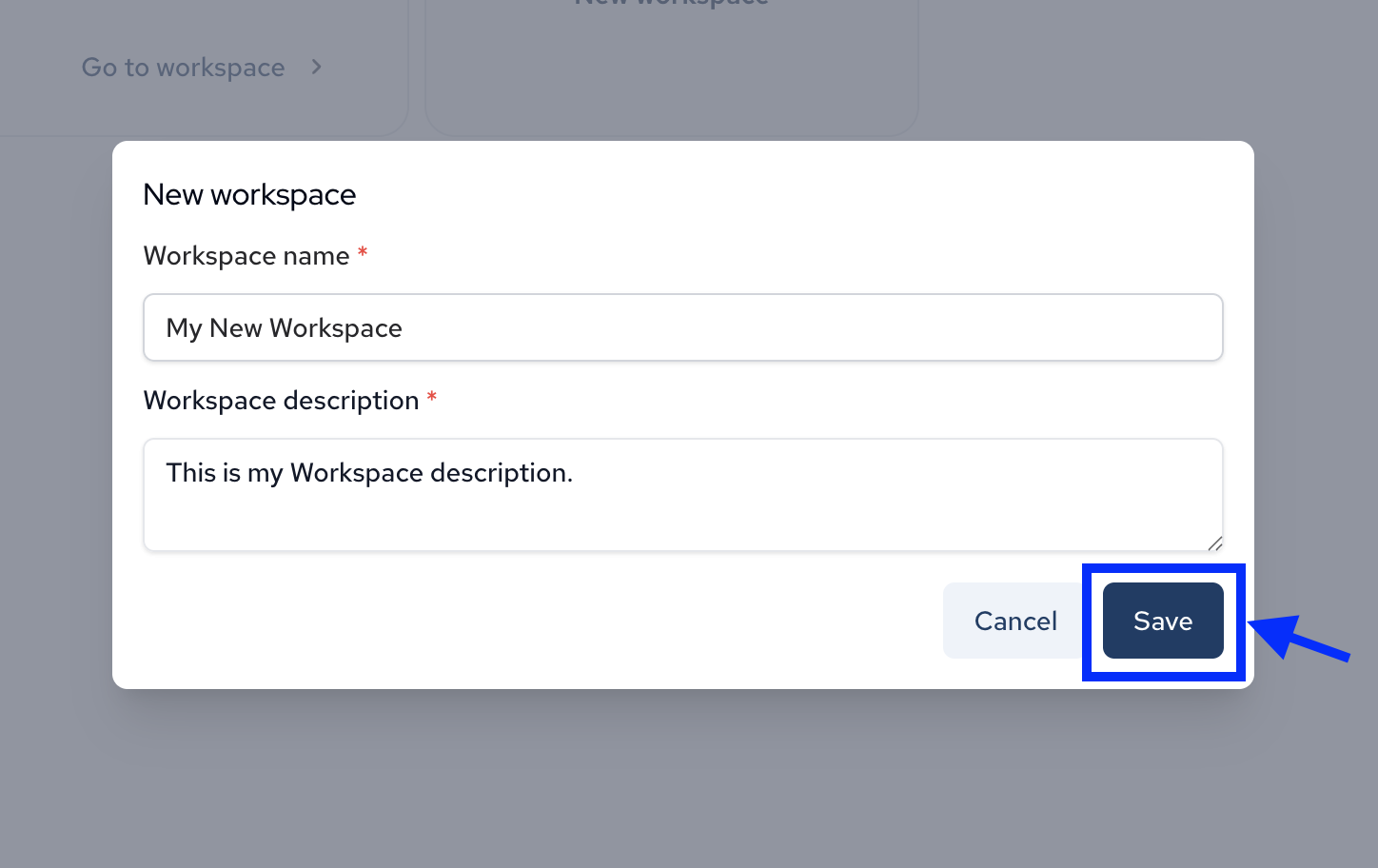
In the modal that appears, you’ll have two fields to populate:
- Workspace Name: This will be the display name of your Workspace in Catio.
- Workspace Description: This description will show up on your workspace and give further details to users about the workspace.
Once these fields are populated, click Save
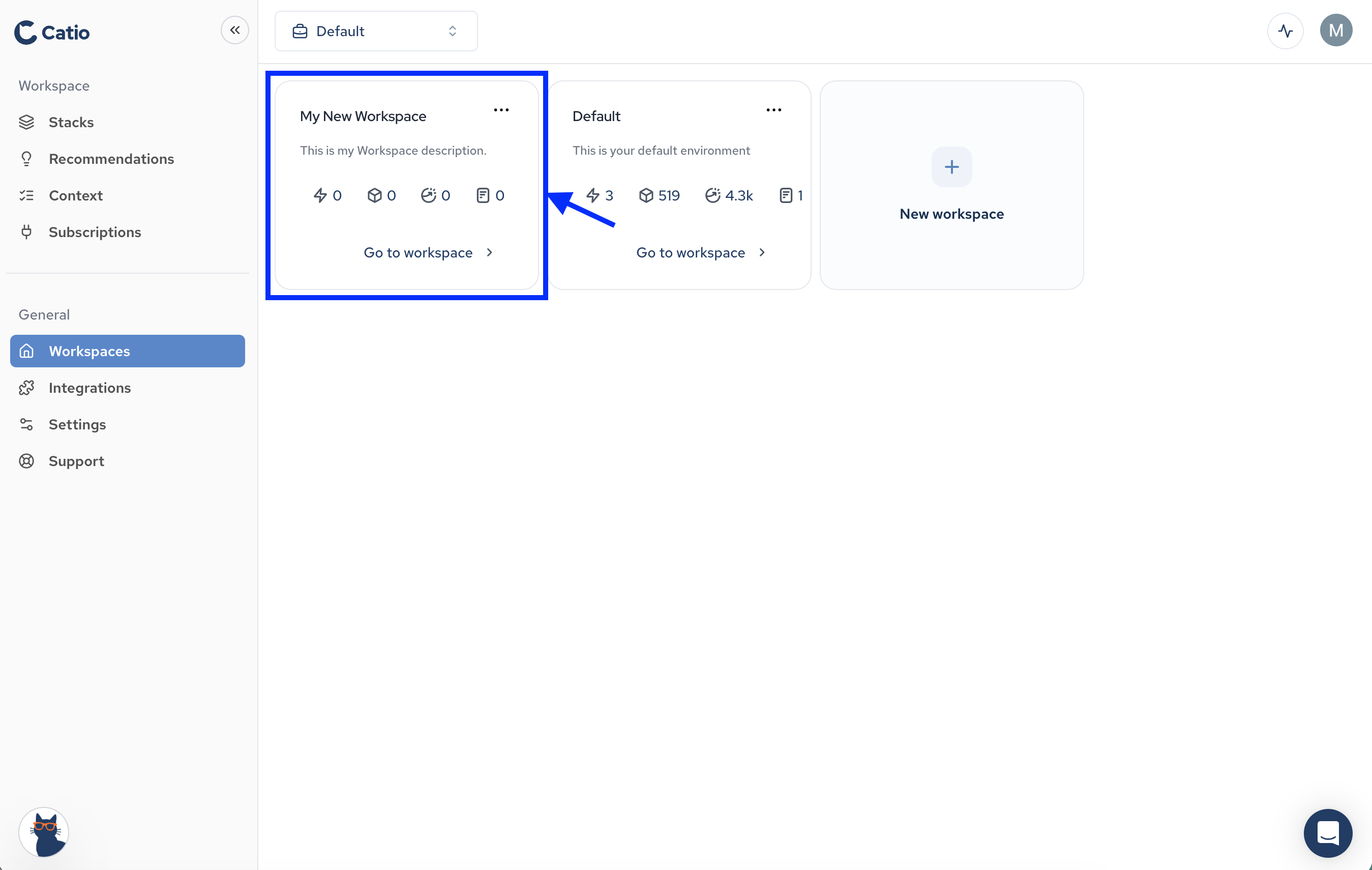
You should then see your newly created workspace displayed on the Workspaces main screen. To open up the workspace and begin working with it, click Go to workspace.