Delete a Roadmap#
To delete a roadmap in Catio, navigate to Recommendations in your workspace. Then, click the Roadmaps tab.
Locate the roadmap you want to delete from the list. Click the Edit icon ("…") next to the roadmap name.
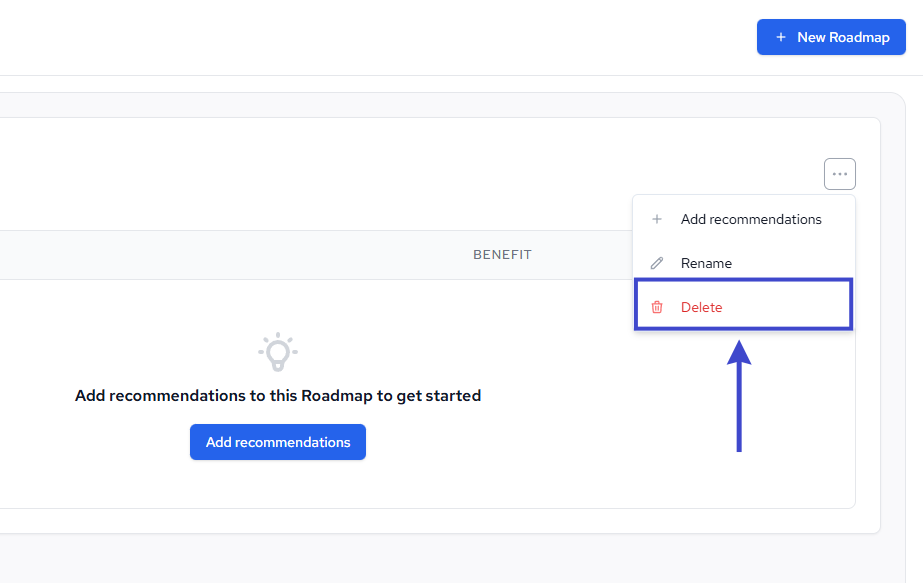
In the menu that appears, select Delete.
A confirmation modal will appear asking you to confirm the deletion. Click Delete to permanently remove the roadmap.
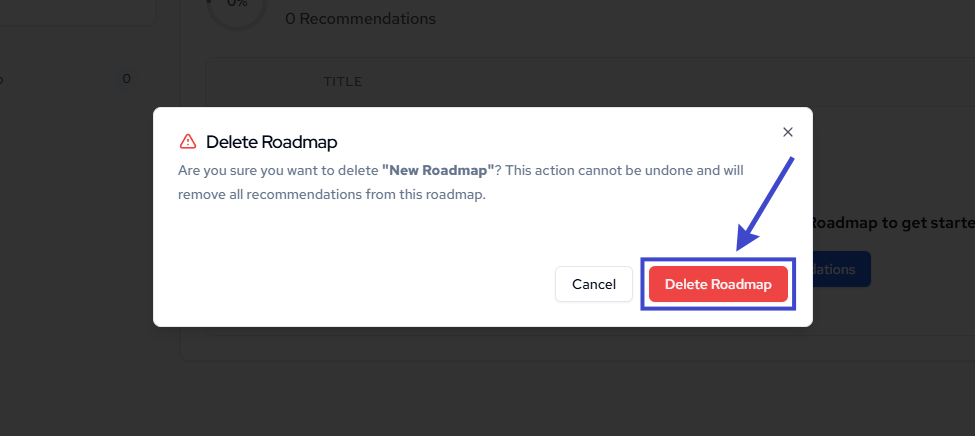
The roadmap will be removed from your workspace.
Note: deleting a roadmap does not delete the underlying bookmarked recommendations, those remain available in your Bookmarks section.