Add Context#
Add business and technical context to your workspace through manual text entries or document uploads.
Accessing Add Context#
Click the Add Context button in the top right corner of the Context section.

Adding Context Methods#
File Upload#
Upload business documents, requirement specifications, or files containing organizational context. Supported formats include PDF, Word, and text files.
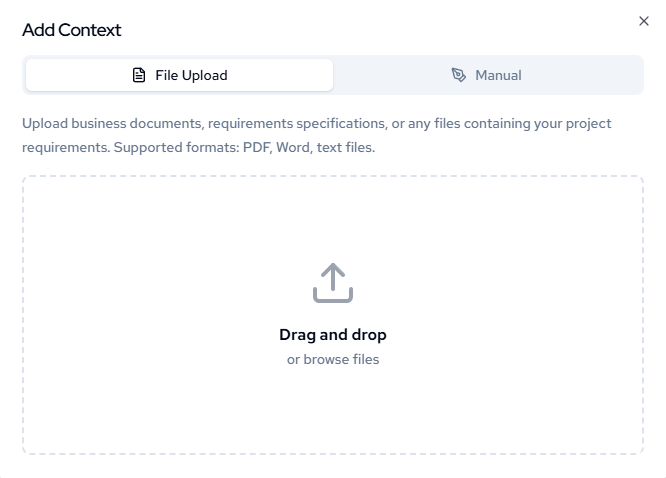
Drag and drop files or browse to select documents from your computer.
Manual Entry#
Enter context descriptions directly using the text input field. Describe requirements, constraints, or business objectives.
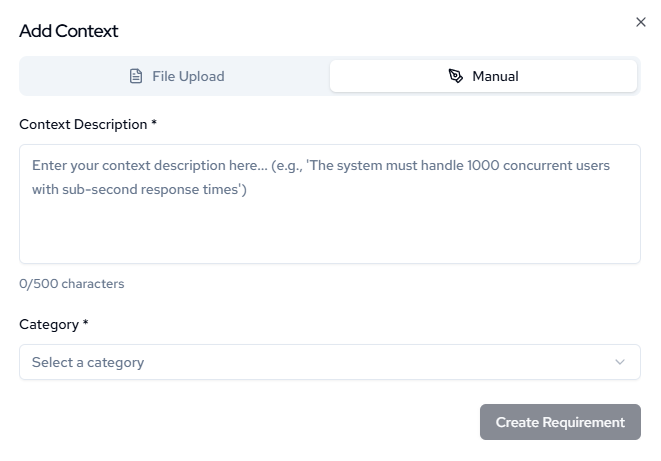
Select the appropriate category and click Create Requirement to save your context entry.
Note: You must select a category. Whether that be during the process above or clicking the category before adding documents.
See Below: