Workspaces#
Workspaces are the heart of Catio, where you’ll organize and manage your architecture. Think of them as your command center for both cloud and on-premise systems. Workspaces allow for:
- Unified Management: Connect cloud and on-premise systems in one place, breaking down silos.
- Smart Data Integration: Link your data sources to analyze your tech stack’s performance and ROI.
- Simple Governance: Add and manage integrations easily with clear guides.
- Actionable Insights: Turn raw data into strategic architecture decisions.
- Validation Tools: Check your architecture data against business goals.
Components of a Workspace#
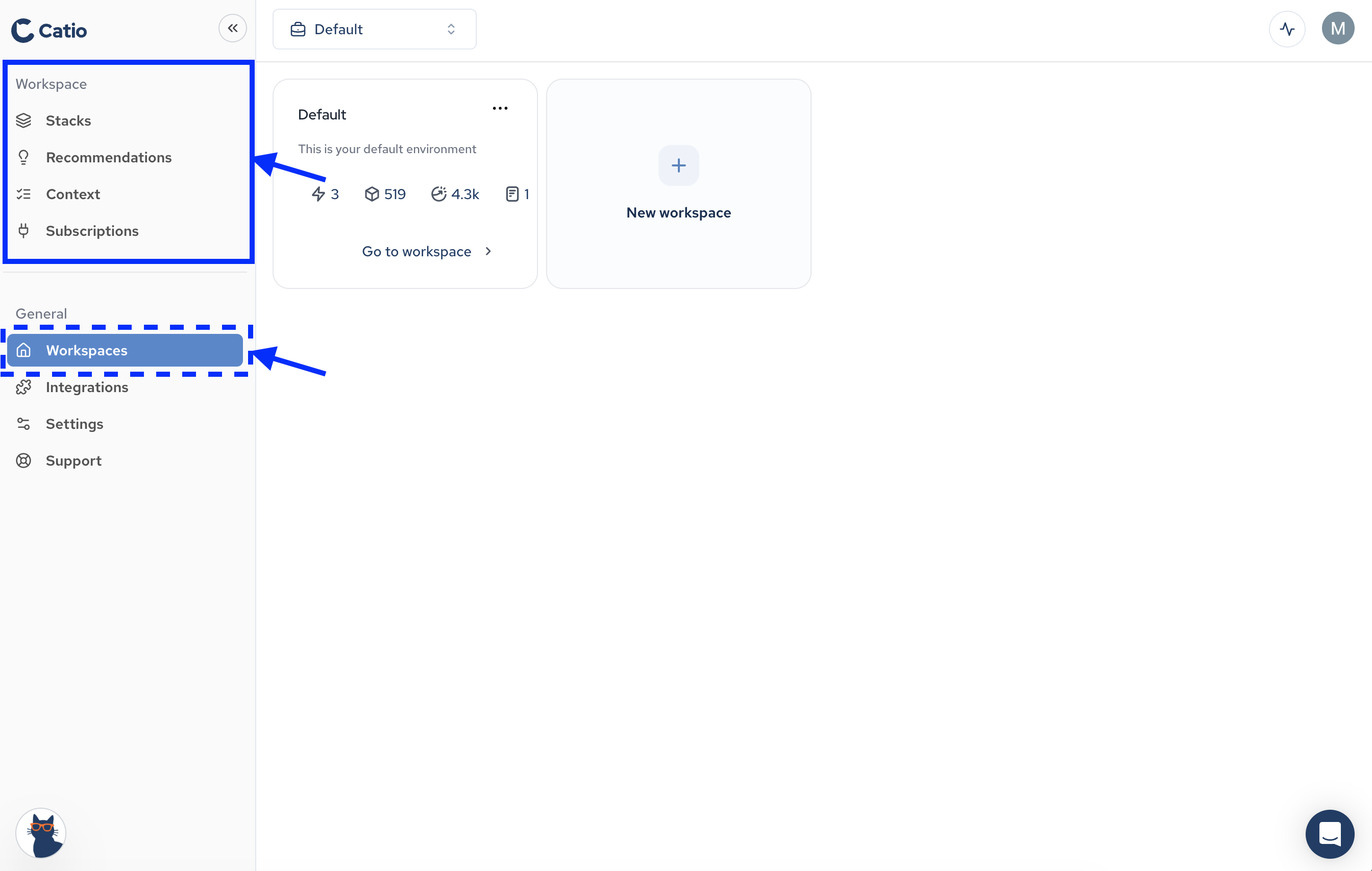
Each Workspace contains:
- Stacks: Stacks visually represents your cloud architecture as it really is. Each workspace is supplied with base diagrams and allows users to custom views using filters, groups, and relationships. Users can then save these views, which become enriched as more integration data becomes available.
- Recommendations: Catio-generated recommendations will appear in this section, helping users to improve architecture and system performance as well as create roadmaps.
- Context: This is an area to upload business and technical documents, providing context to Catio so that it can tailor guidance to your individual needs. These goals and constraints inform Recommendations , so everything in Catio optimizes for business impact.
- Subscriptions: Once integrations have been configured in your organization, include them in their desired Workspace(s) by subscribing. Subscribed integrations will impact both Stacks and Recommendations for any workspace they are added to.
Navigating to Workspaces#
By clicking on the Workspaces item under the General menu, you’ll be brought to the Workspaces main screen. From this screen, you’ll be able to see the sections for each workspace component the selected workspace in the left-side nagivation.