Inviting Users#
Add team members to your Catio organization.
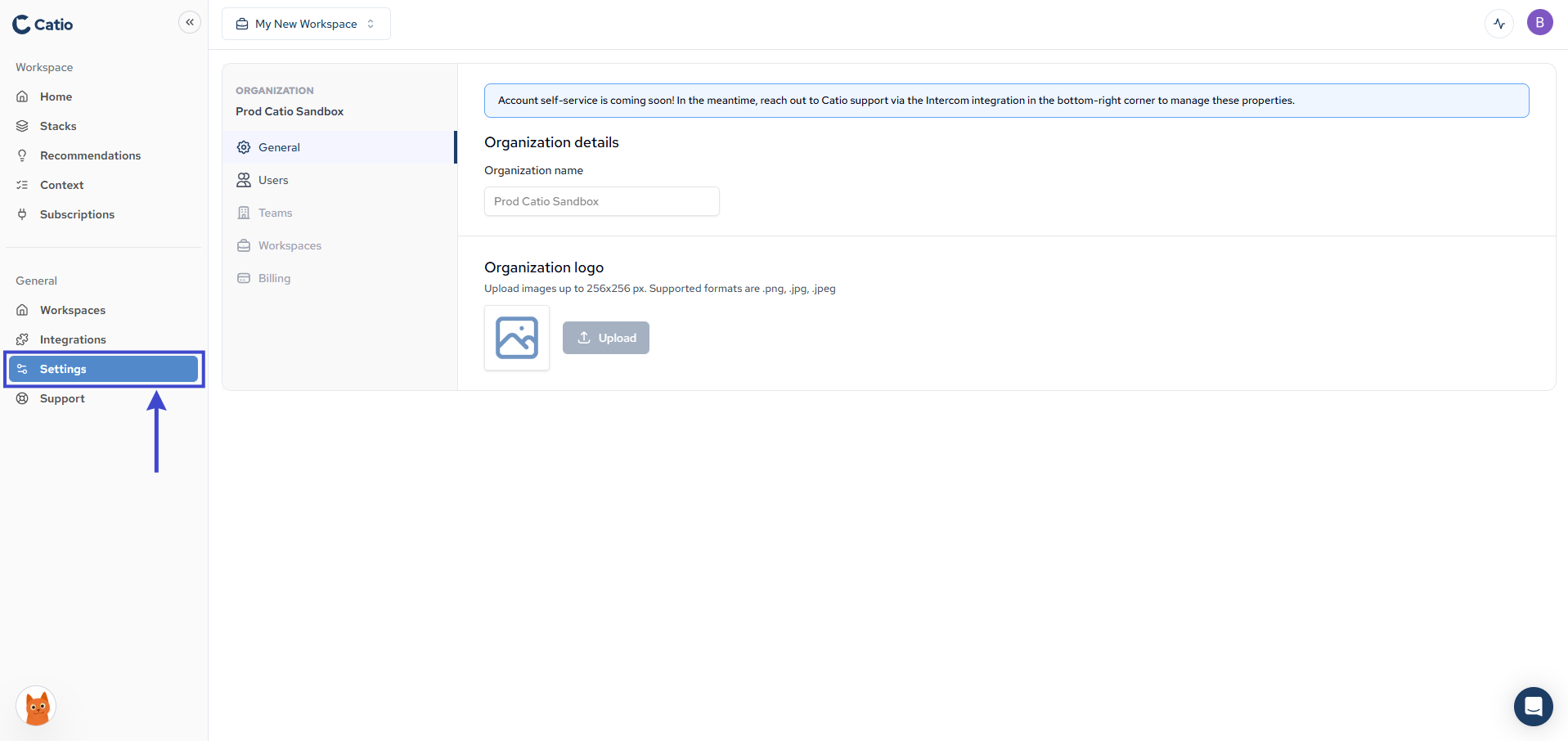
- Navigate to Settings in the left sidebar.
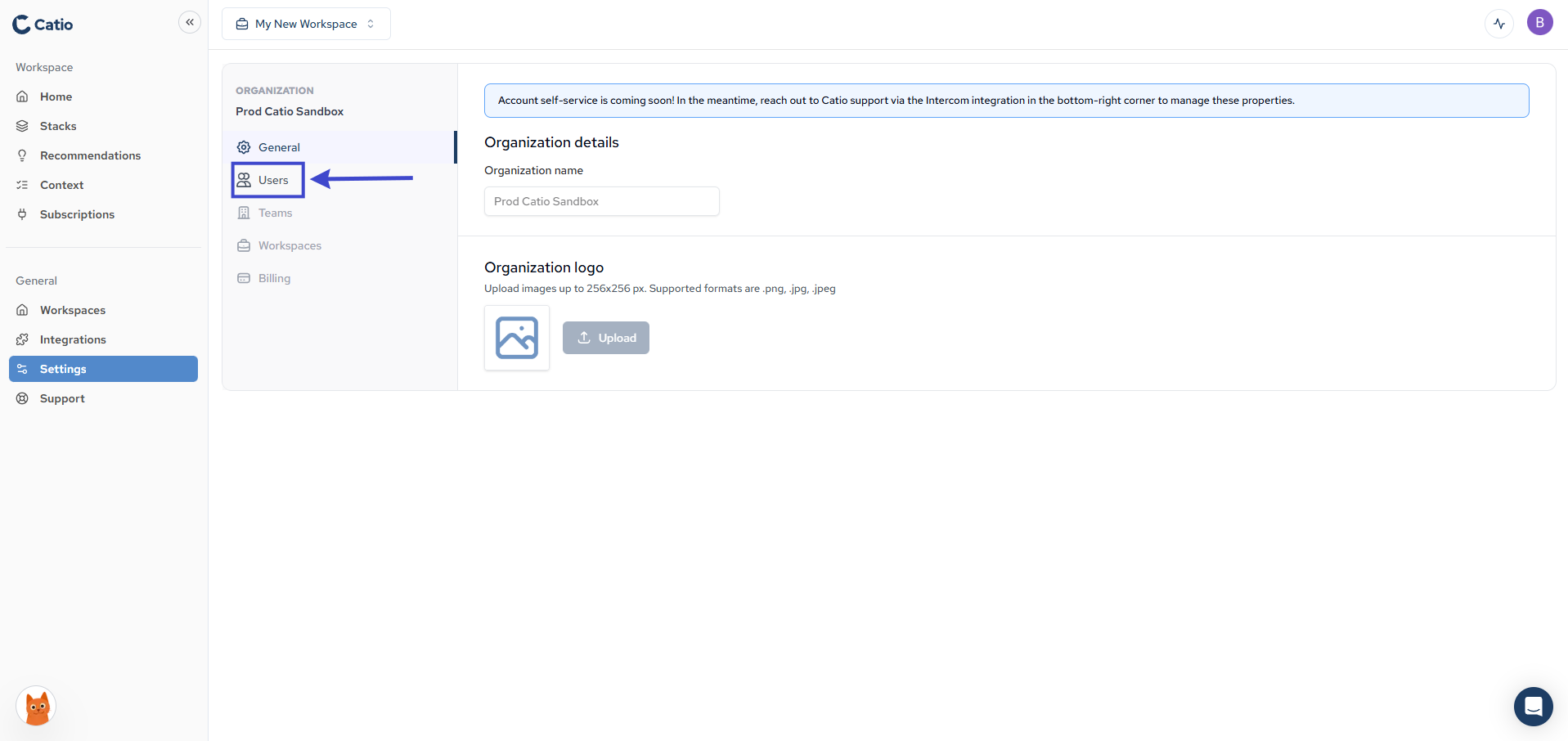
- Click the Users button on the left.
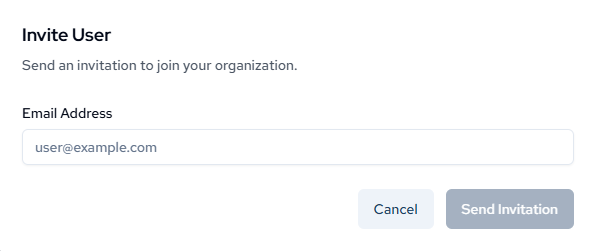
- In the modal that appears, click Invite User.

- Enter the email address of the user you want to invite and click Send Invitation.
The invited user will receive an email with instructions to join your Catio organization. Once they accept the invitation, they will appear in your Users list.